00:06 Today we're building a very simple coding agent, or at least a
prototype of one. One of the more interesting projects in this space right now
is Pi. It's a very minimalistic coding agent that intentionally does very
little.
00:25 The agent part means that an LLM runs in a loop. We give it some
input and it returns an answer, and it can also return tool calls to execute. We
then execute those tool calls on our machine — for example, reading or writing a
file — and feed the result back into the LLM. That creates a loop where the
model can go back and forth and run different operations. Instead of asking us
to manually change a file, it can just do it itself. That's what makes it more
autonomous.
01:08 Pi uses only four built-in tools: read, write, and edit — all
operating on files — and Bash as a general-purpose tool. For now, we're only
going to read some files.
Setting Up the Chat Session
01:23 Let's get started. We can build this on top of any LLM, but we'll
use the OpenAI API because it's simple to set up. We create a Session type
with a client property for our OpenAI client. We also need an API token, which
we read from the process environment:
struct Session {
    let client = OpenAI(apiToken: ProcessInfo.processInfo.environment["OPENAI_API_KEY"]!)
}
02:00 Next, we add a mutating async run function that can throw an
error. For now, we just print a prompt without a newline terminator, so that the
user can type on the same line. If the read line is empty, we just continue the
loop:
struct Session {
    let client = OpenAI(apiToken: ProcessInfo.processInfo.environment["OPENAI_API_KEY"]!)
    var previousResponseId: String? = nil

    mutating func run() async throws {
        print("You> ", terminator: "")
        guard let line = readLine(), !line.isEmpty else {
            continue
        }

    }
}
02:39 Now we want to print the agent's response, so we write a
handleInput function. Inside run, we call it inside a while loop so the
agent keeps running:
struct Session {
    let client = OpenAI(apiToken: ProcessInfo.processInfo.environment["OPENAI_API_KEY"]!)

    mutating func run() async throws {
        while true {
            print("You> ", terminator: "")
            guard let line = readLine(), !line.isEmpty else {
                continue
            }
            try await handleInput(input: line)
        }
    }

    mutating func handleInput(input: String) async throws {

    }
}
03:16 Inside handleInput, we call createResponse on the client's
responses API, constructing a query with our input as text input and the model
set to "gpt-5". Then we print the response:
struct Session {
mutating func handleInput(input: String) async throws {
let response = try await client.responses.createResponse(
query: .init(
input: input,
model: "gpt-5"
)
)
print(response)
}
}
03:52 Let's see what this does. We expect to see a prompt in the command
line, but nothing happens yet. That's because we forgot to actually call the
agent:
@main struct App {
    static func main() async throws {
        var session = Session()
        try await session.run()
    }
}
04:10 Now we can ask something like what two plus two equals. It's a
very expensive calculator, but somewhere in the output we find the answer "4".
Instead of printing the entire response object, we need to extract the actual
content from it.
Extracting the Model Output
04:40 First, we inspect the response object. It has an output field,
which is an array we can loop over. The elements of the array are values of an
enum, so we switch over it to see what cases we get:
struct Session {
mutating func handleInput(input: String) async throws {
let response = try await client.responses.createResponse(
query: .init(
input: .textInput(input),
model: "gpt-5"
)
)
for output in response.output {
switch output {
case .outputMessage(let outputMessage):
case .fileSearchToolCall(let fileSearchToolCall):
case .functionToolCall(let functionToolCall):
case .webSearchToolCall(let webSearchToolCall):
case .computerToolCall(let computerToolCall):
case .reasoning(let reasoningItem):
case .imageGenerationCall(let imageGenToolCall):
case .codeInterpreterToolCall(let codeInterpreterToolCall):
case .localShellCall(let localShellToolCall):
case .mcpToolCall(let mCPToolCall):
case .mcpListTools(let mCPListTools):
case .mcpApprovalRequest(let mCPApprovalRequest):
}
}
}
}
05:19 We're interested in the .outputMessage case for now, so we
ignore everything else. The message payload has a content property, which is
an array. So we loop over it and switch over each content item, which can be
either text content or a refusal case. For text content, we print the string:
struct Session {
mutating func handleInput(input: String) async throws {
let response = try await client.responses.createResponse(
query: .init(
input: .textInput(input),
model: "gpt-5"
)
)
for output in response.output {
switch output {
case .outputMessage(let outputMessage):
for content in outputMessage.content {
switch content {
case .OutputTextContent(let outputTextContent):
print("assistant> ", outputTextContent.text)
case .RefusalContent(let refusalContent):
print("")
}
}
default:
print("not handled")
}
}
}
}
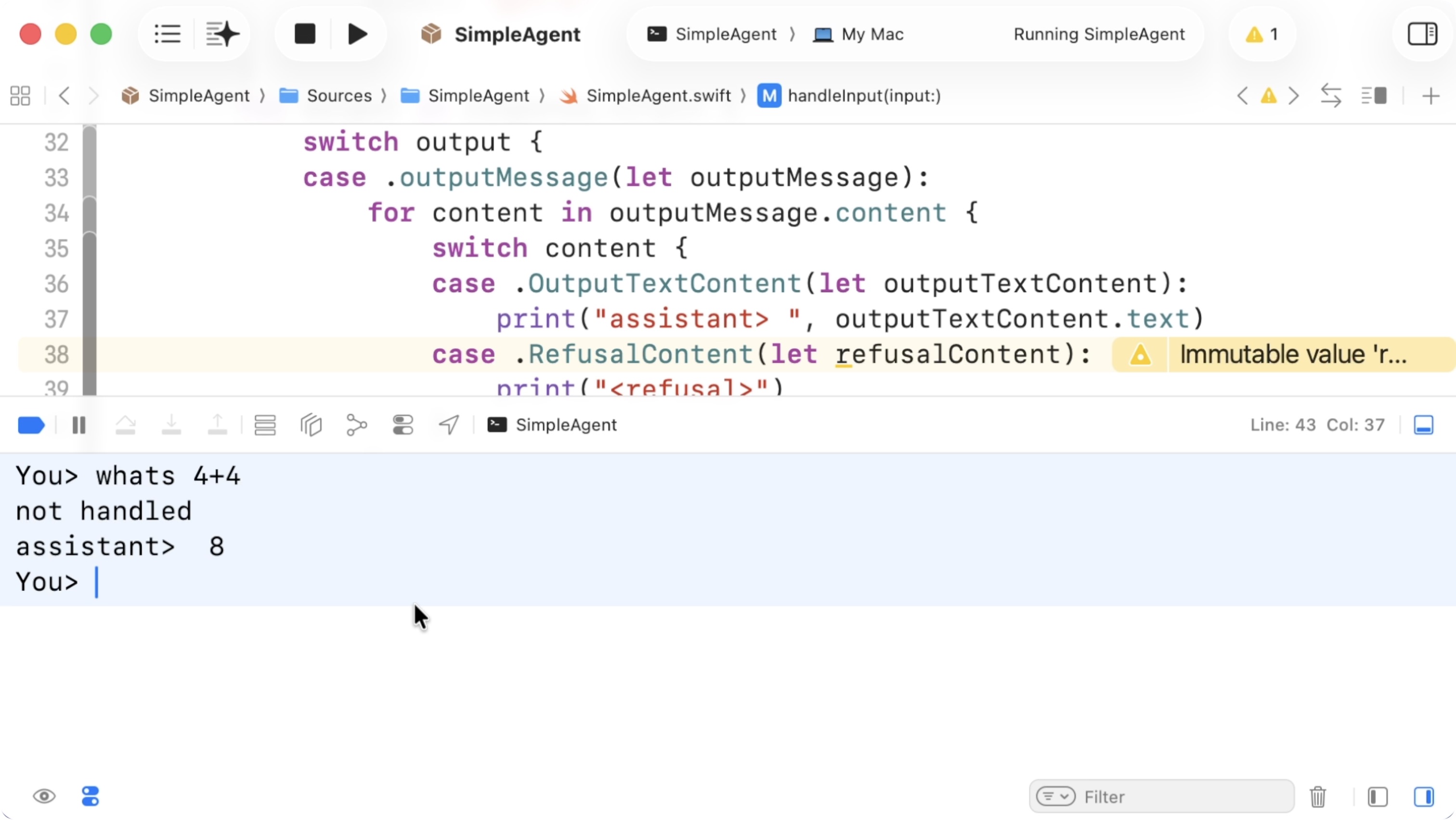
07:22 Now we should get a cleaner response. When we try our math
question again, we get an actual text response:
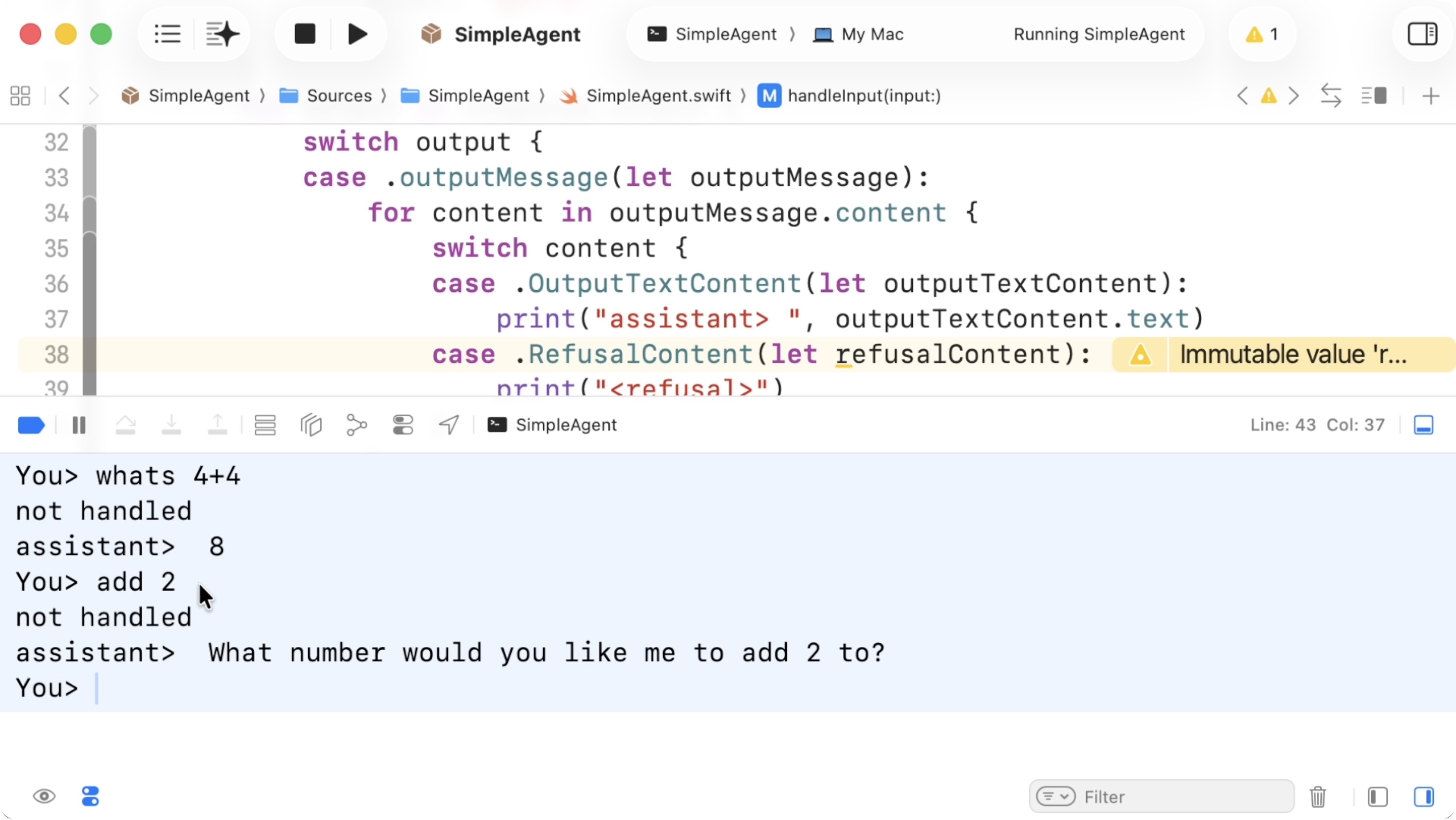
07:46 If we now continue with something like "add 2", we'll notice that
context isn't preserved. The model tries to answer, but it doesn't know what to
add it to:
08:02 So the next step is to store some conversational state in our
session. The API supports a previous response ID, so we can store that as an
optional string, initialized to nil, and pass it into the query:
struct Session {
let client = OpenAI(apiToken: ProcessInfo.processInfo.environment["OPENAI_API_KEY"]!)
var previousResponseId: String? = nil
mutating func handleInput(input: String) async throws {
let response = try await client.responses.createResponse(
query: .init(
input: .textInput(input),
model: "gpt-5",
previousResponseId: previousResponseId
)
)
previousResponseId = response.id
}
}
08:42 Now the context is preserved and the model understands what we
mean with the followup question.
Tools
08:56 The next step is adding tools. We define a MyTool enum with a
case for listing files. Then we add a run method that switches over self and
performs the actual work. For now, it can just return void:
enum MyTool {
case listFiles(path: String)
func run() {
switch self {
case .listFiles(path: let path):
return
}
}
}
09:55 We also need a static all function that returns all tools in the
format expected by the OpenAI API, i.e. an array of Tool. We construct a
function tool with the name "list_files" and a description explaining that it
lists files in a path:
enum MyTool {
static func all() -> [Tool] {
return [
Tool.functionTool(
.init(
name: "list_files",
description: "Lists all the files in a path",
)
),
]
}
}
11:06 The description is required because it tells the model what the
tool does and how to use it.
11:19 To specify the tool's parameters, we need to construct a JSON
schema:
enum MyTool {
static func all() -> [Tool] {
return [
Tool.functionTool(
.init(
name: "list_files",
description: "Lists all the files in a path",
parameters: .schema(
.type(.object),
.properties([
"path": .schema(
.type(.string),
.description("The absolute file path")
)
]),
.required(["path"]),
.additionalProperties(.boolean(false))
),
strict: true
)
)
]
}
}
11:59 The parameters field is a loosely typed JSON schema that
verbally instructs the agent about the arguments to provide.
12:31 Now we add the tools to the query, and we extend the switch to
handle the .functionToolCall case. For now, we can just print the call:
struct Session {
mutating func handleInput(input: String) async throws {
let response = try await client.responses.createResponse(
query: .init(
input: .textInput(input),
model: "gpt-5",
previousResponseId: previousResponseId,
tools: MyTool.all()
)
)
previousResponseId = response.id
for output in response.output {
switch output {
case .outputMessage(let outputMessage):
case .functionToolCall(let call):
print(call)
continue
default:
print("not handled")
}
}
}
}
13:03 If we now ask which files are in our user directory, the model
should decide to call our tool. We expect to see a "list_files" call. And
indeed, we see a function tool call with the root path, "/", as an argument:
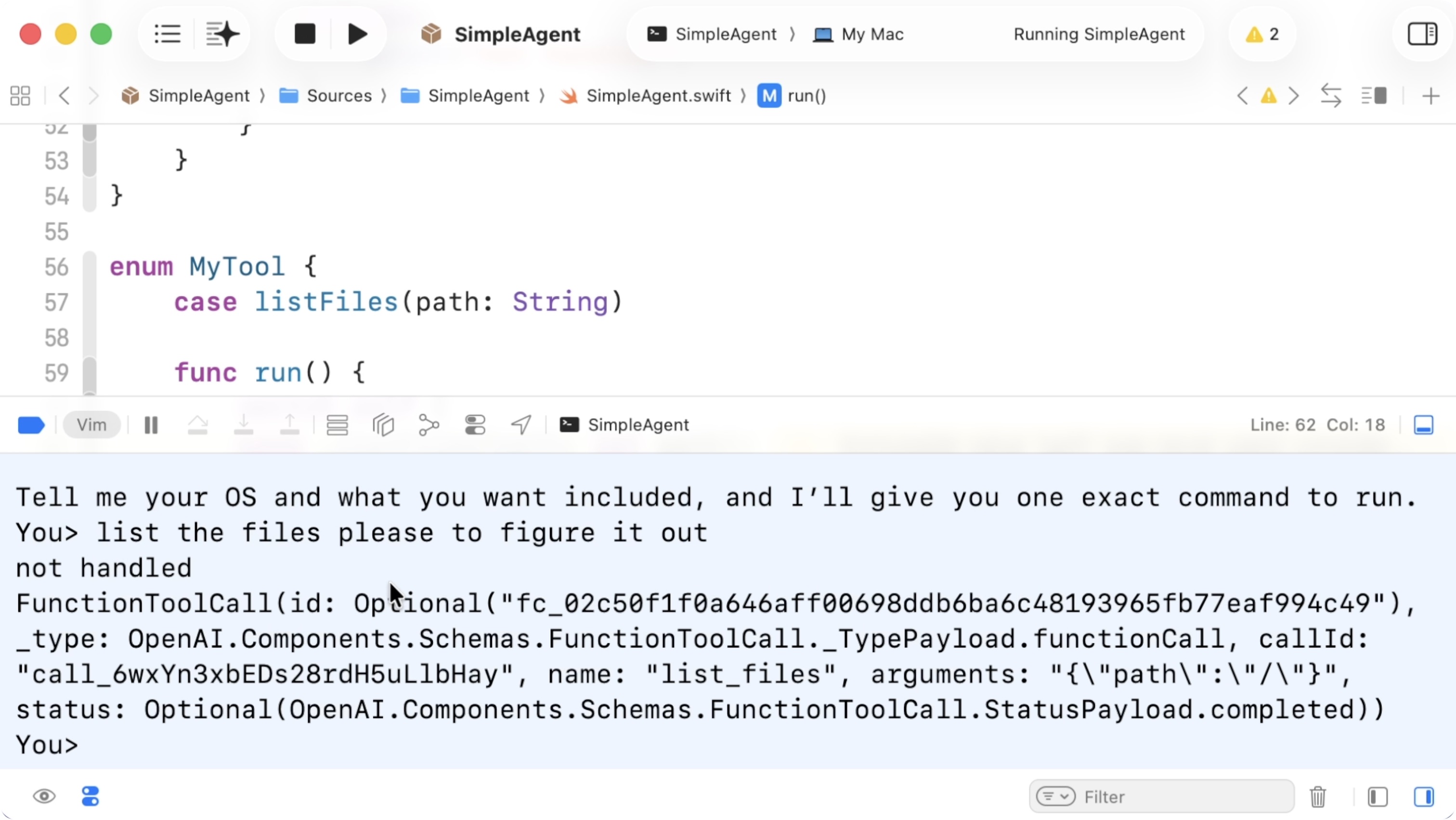
14:03 We also get a call ID, which we need to pass on, together with the
result of running our tool.
Executing Tool Calls in a Loop
14:24 We need to actually return results. We also need to keep looping
over function calls until there are no more inputs to handle.
15:09 In the .functionToolCall case inside handleInput, we need to
construct a new input that we feed back into the model. Our initial input is
.textInput, which we can pull out into a variable:
struct Session {
mutating func handleInput(input: String) async throws {
var input = CreateModelResponseQuery.Input.textInput(input)
let response = try await client.responses.createResponse(
query: .init(
input: input,
model: "gpt-5",
previousResponseId: previousResponseId
)
)
}
}
16:30 We need another loop around this logic. For each response, we may
get multiple tool calls. So we introduce another while loop and wrap the
relevant code inside it:
struct Session {
mutating func handleInput(input: String) async throws {
var input = CreateModelResponseQuery.Input.textInput(input)
while true {
let response = try await client.responses.createResponse(
query: .init(
input: input,
model: "gpt-5",
previousResponseId: previousResponseId,
tools: MyTool.all()
)
)
previousResponseId = response.id
for output in response.output {
}
}
}
}
16:59 Inside this loop, we prepare an array, toolInputs, to collect
input items for the next request:
struct Session {
mutating func handleInput(input: String) async throws {
var input = CreateModelResponseQuery.Input.textInput(input)
while true {
let response = try await client.responses.createResponse(
query: .init(
input: input,
model: "gpt-5",
previousResponseId: previousResponseId,
tools: MyTool.all()
)
)
previousResponseId = response.id
var toolInputs: [InputItem] = []
for output in response.output {
}
}
}
}
18:55 In the .functionToolCall case, we need to execute the tool and
append the result to toolInputs. First, we inspect the call. It has a
callID, a name, and arguments as a JSON string. We need to parse that and
dispatch to the correct tool.
19:19 To parse the call, we pass its name and arguments to an
initializer we'll write for MyTool:
struct Session {
mutating func handleInput(input: String) async throws {
var input = CreateModelResponseQuery.Input.textInput(input)
while true {
let response = var toolInputs: [InputItem] = []
for output in response.output {
switch output {
case .outputMessage(let outputMessage):
case .functionToolCall(let call):
let tool = MyTool(name: call.name, arguments: call.arguments)
continue
default:
print("not handled")
}
}
}
}
}
20:23 We add a failable initializer to MyTool. We parse the JSON,
extract the path parameter, check that it's a string, and construct the enum
case:
enum MyTool {
case listFiles(path: String)
init?(name: String, arguments: String) {
guard name == "list_files" else {
return nil
}
guard
let data = arguments.data(using: .utf8),
let obj = try? JSONSerialization.jsonObject(with: data),
let params = obj as? [String: Any],
let path = params["path"] as? String
else { return nil }
self = .listFiles(path: path)
}
}
23:58 We update run to return a string:
enum MyTool {
func run() -> String {
switch self {
case .listFiles(path: let path):
return "Users\nApplications\nPictures"
}
}
}
24:26 If tool construction fails, we continue the loop. Otherwise, we
append a new input item to toolInputs. This is a .functionCallOutput item,
which we construct using the call ID and the output string:
struct Session {
mutating func handleInput(input: String) async throws {
var input = CreateModelResponseQuery.Input.textInput(input)
while true {
let response = try await client.responses.createResponse(
query: .init(
input: input,
model: "gpt-5",
previousResponseId: previousResponseId,
tools: MyTool.all()
)
)
previousResponseId = response.id
var toolInputs: [InputItem] = []
for output in response.output {
switch output {
case .outputMessage(let outputMessage):
for content in outputMessage.content {
switch content {
case .OutputTextContent(let outputTextContent):
print("assistant> ", outputTextContent.text)
case .RefusalContent(let refusalContent):
print("")
}
}
case .functionToolCall(let call):
guard let tool = MyTool(name: call.name, arguments: call.arguments) else { continue }
let result = tool.run()
toolInputs.append(.item(.functionCallOutputItemParam(.init(callId: call.callId, _type: .functionCallOutput, output: result))))
continue
default:
print("not handled")
}
}
}
}
}
26:17 After the for loop, we assign input to a new input item list
constructed from the toolInputs array to send the tool outputs back to the
model. We only do so if toolInputs isn't empty; otherwise, we break out of the
loop:
struct Session {
mutating func handleInput(input: String) async throws {
var input = CreateModelResponseQuery.Input.textInput(input)
while true {
let response = var toolInputs: [InputItem] = []
for output in response.output {
}
guard !toolInputs.isEmpty else {
break
}
input = .inputItemList(toolInputs)
}
}
}
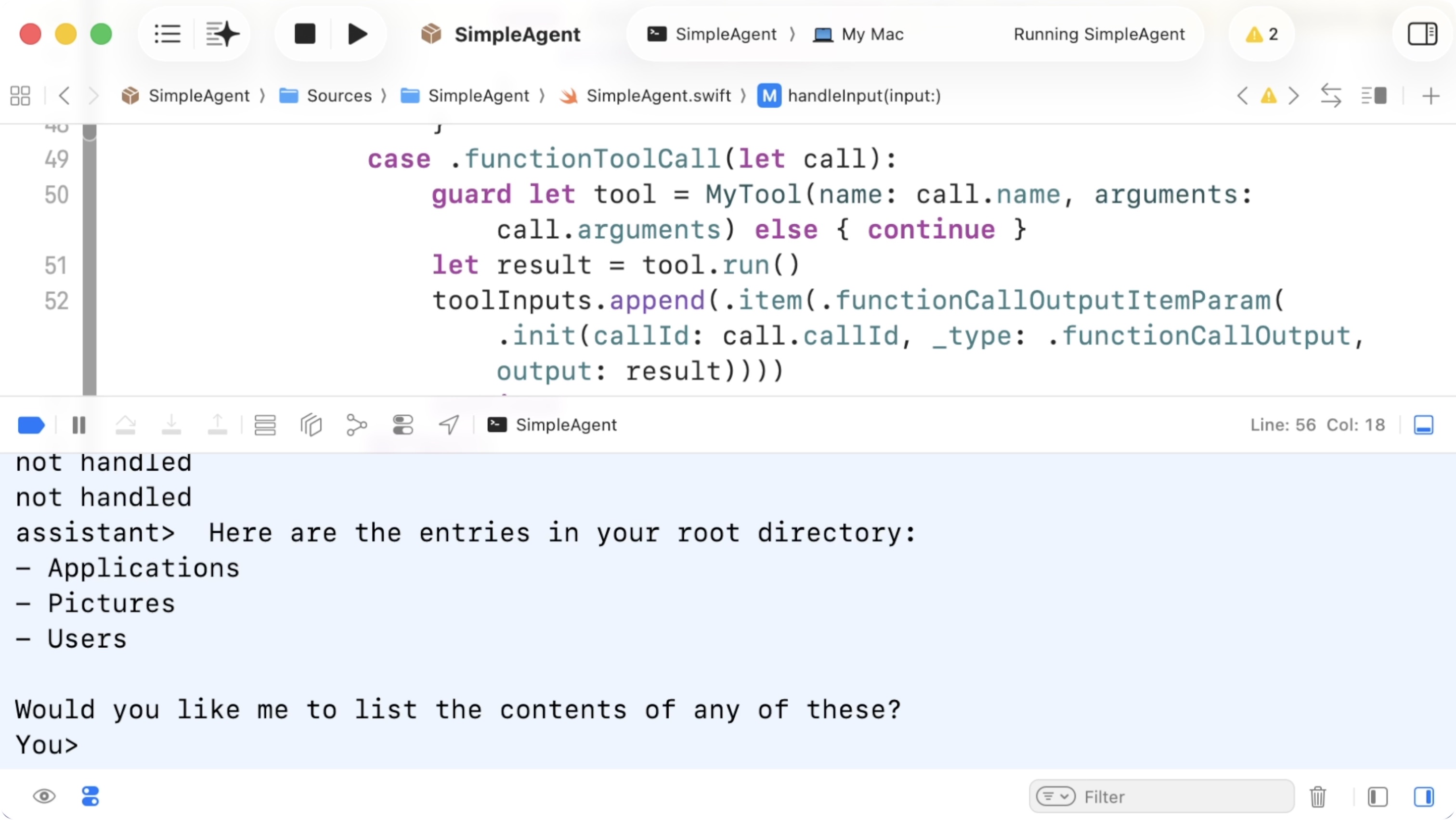
26:50 Let's test it. We ask the agent: "What are the files in my root
directory?" We currently return fake files, but it works. The model calls our
tool, we return the result, and it integrates that into its answer:
Using FileManager
27:16 We can easily hook this up to the real file system using
FileManager:
enum MyTool {
func run() throws -> String {
switch self {
case .listFiles(path: let path):
let fm = FileManager.default
return try fm.contentsOfDirectory(atPath: path).joined(separator: "\n")
}
}
}
27:52 Now we get real results. If we ask what's in my users folder, two
loops occur: first the model asks to call the tool, then we execute it and send
the result back, and then it responds with a final answer.
28:22 If FileManager throws an error, we need to handle that properly
so the app doesn't crash. Rather than rethrowing the error, we can just use an
"<error>" string as the tool output to let the agent know it should try
something else:
struct Session {
mutating func handleInput(input: String) async throws {
var input = CreateModelResponseQuery.Input.textInput(input)
while true {
for output in response.output {
switch output {
case .outputMessage(let outputMessage):
case .functionToolCall(let call):
guard let tool = MyTool(name: call.name, arguments: call.arguments) else { continue }
let result = (try? tool.run()) ?? ""
toolInputs.append(.item(.functionCallOutputItemParam(.init(callId: call.callId, _type: .functionCallOutput, output: result))))
continue
default:
print("not handled")
}
}
}
}
}
28:54 Now it works. It figured out it should ask for the /Users path
with a capital U. This is essentially what an agent is: an outer loop that reads
user input, and an inner loop that executes tool calls requested by the model.
That's really all there is to it.
29:40 From here, we can make the tools more interesting. We could wrap
macOS-specific APIs or build a GUI around this. There's a lot to explore.